Ask freely
A question that turns out to be the wrong question costs you nothing, because nothing in your account moved. Rephrase it and ask again.
AI assistant
Type what you need to know or what you want created, the way you would tell a coordinator, and the assistant does the looking and the typing.
The assistant sits in a panel next to the screen you are already working in. You type a request the way you would say it to a coordinator across the desk. It answers in the same panel.
That matters most on the days you do not have time to click through screens. A client calls, you need one answer, and you type the question instead of opening three lists and comparing them by eye.
Reports and queries are read-only. The assistant looks at your data and tells you what it found. It does not edit a shift, move a person or change a record while it answers.
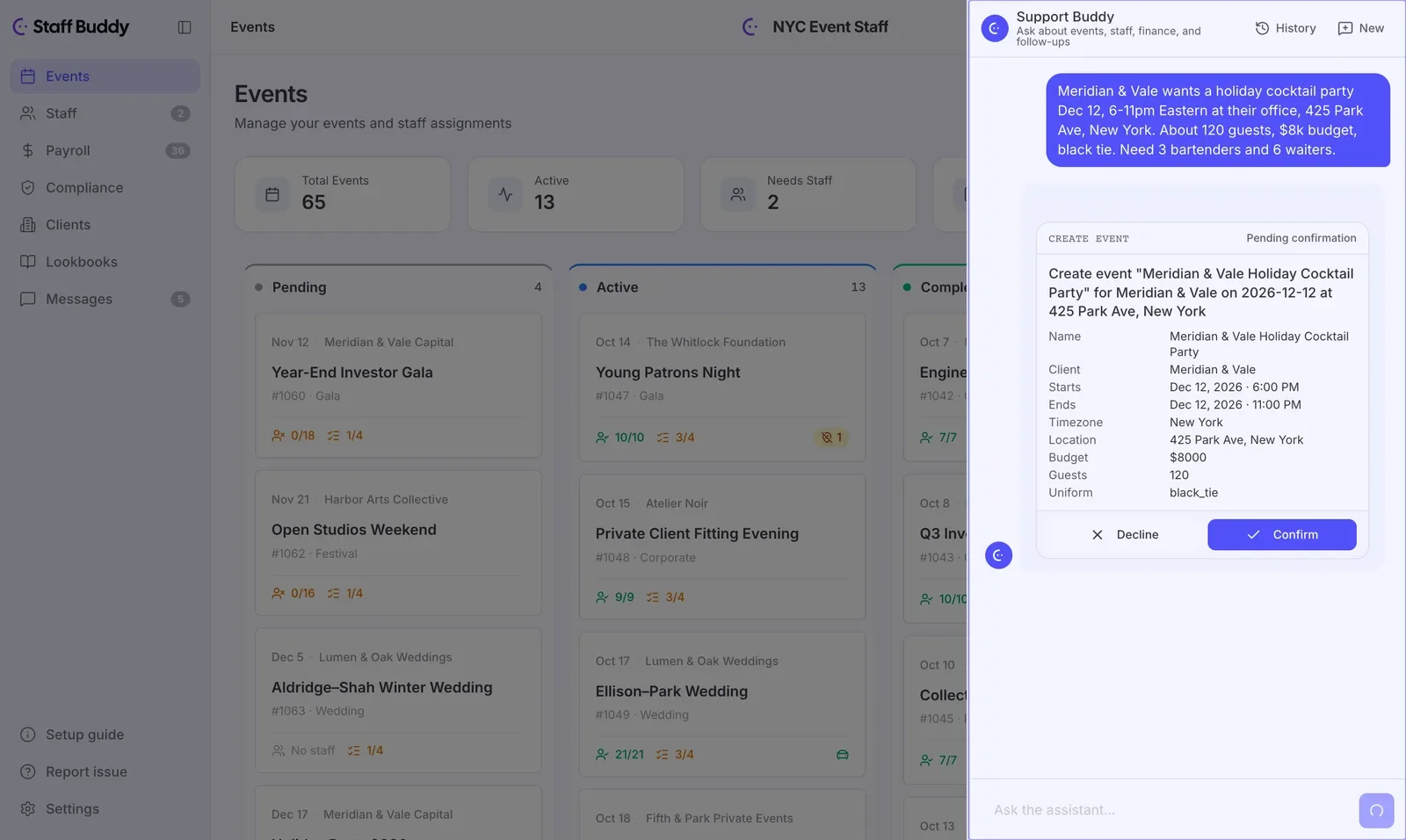
You can also tell the assistant to create an event. Describe it in one message, with the details you already know.
The assistant does not save anything yet. It shows you a preview of the event it understood. You read it the way you would read a booking before sending it on.
Nothing is created until you confirm the preview. That rule covers everything the assistant does: no data changes without your confirmation.
Once you confirm, the card changes to show that the event was created. From there it is in your back office as an event.
Think of it as a second way in, next to the screens you already use. The calendar, the board and the lists are still there. The assistant is for the moments when you know what you want and do not want to hunt for it.
A new coordinator can ask a question on their first day without knowing which screen holds the answer. An experienced one can describe an event in a sentence instead of filling in a form field by field.
No. It never creates or changes data without you confirming a preview first. Reports and queries are read-only.
It understands several languages besides English, so people in your office can ask in the language they work in.
No. Customer data is not used to train AI models.
The security page says where your data is hosted and lists every subprocessor, including the one that routes assistant requests to AI model providers.
If you’d rather talk it through, book a call with the founder and bring your own events.