Notifications and languages

Every assignment and change reaches them.

Staff Buddy tells each worker what changed, in their language and on the channel they picked, so nobody finds out at the venue.
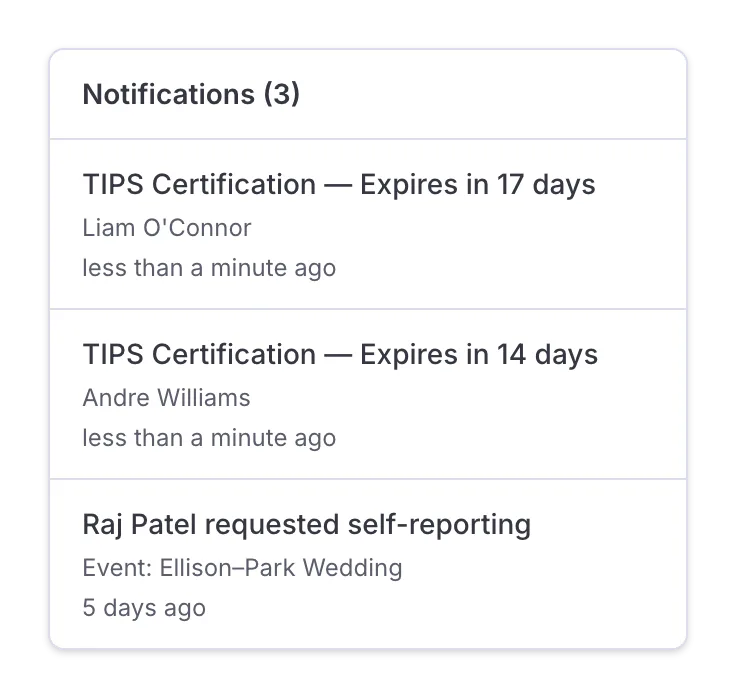
The back office has a notification bell too. Document expirations, staff updates and shift changes all show up in it.

The notifications list of the back office with two TIPS certifications that expire in 17 and 14 days and a request to self-report.

What staff hear about

Your workers get a message whenever something they need to act on happens. Nobody on your team sends these by hand: you make the change in the back office and the people on that shift are told.

A new assignment

An invitation arrives in the app and waits there until the worker accepts or declines.

A change

A new call time or a different entrance is saved on the event, and the message goes to each person assigned to it.

A cancellation

Nobody travels to a venue for a shift that no longer exists.

A reminder

It reaches the worker who accepted two weeks ago and forgot, before it becomes a no-show.
You change the shift once. Everyone on it hears about it.

The channel each worker picks

Messages go out by app, email and SMS. Each worker chooses their own channel, so the person who never opens an app can still be reached, and the person who lives in the app is not buried in texts.

The choice sits with the worker, not with the office. You do not have to learn who prefers what and remember it for every event.

SMS is included in the subscription. You do not add up message costs at the end of the month, and you do not ask staff to pay to receive their own schedule.

WhatsApp notifications for staff are coming soon.
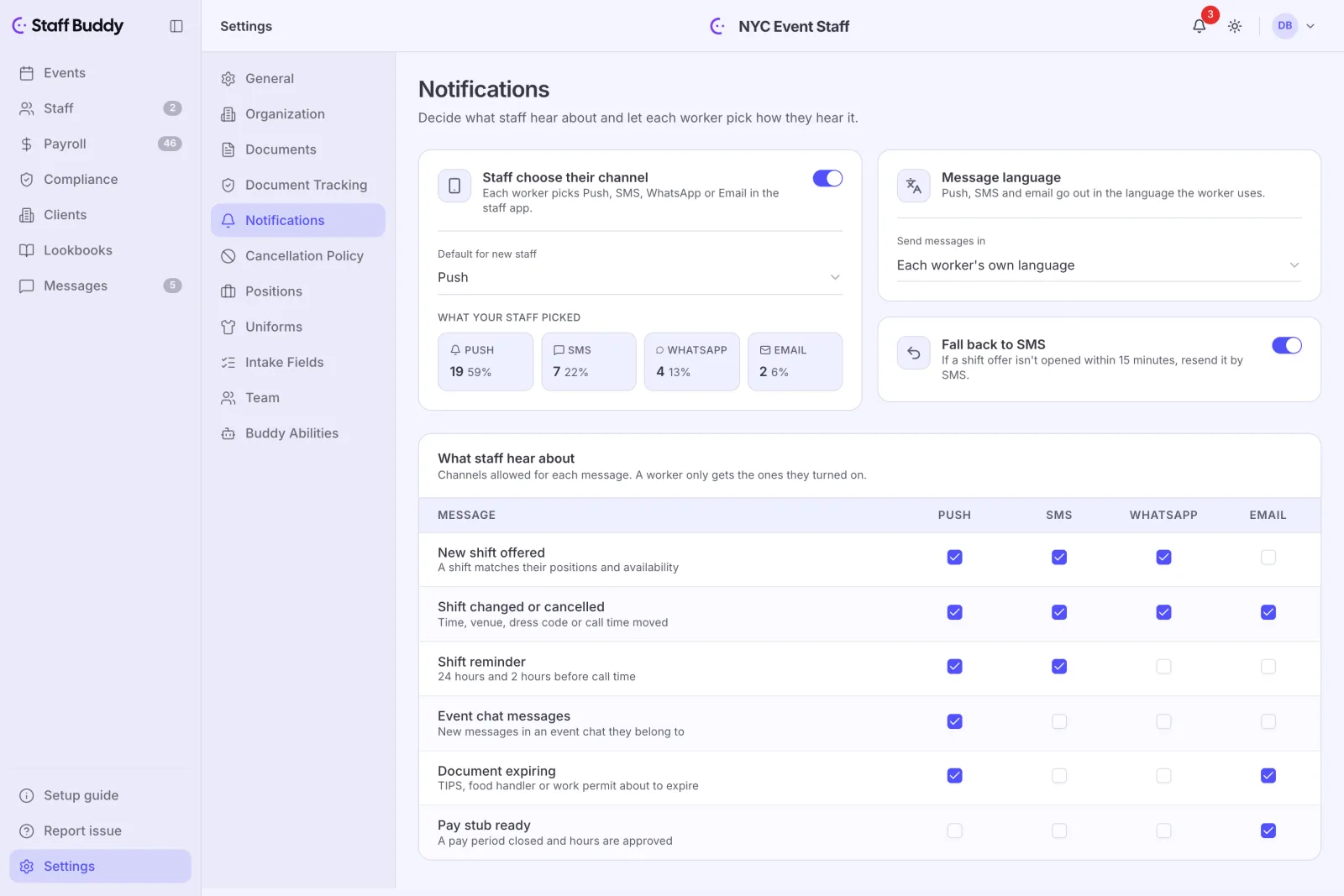
The notification settings in the back office: the channel each worker picked, the message language and which messages go out on each channel.

Their own language

Every worker receives messages in their own language.

The staff app and the back office are available in English, Spanish, German, Portuguese, and French. A coordinator and a bartender on the same shift can each read the same event in the language they are comfortable with.

This helps most when your roster is mixed: an agency that staffs events across several countries, or hires seasonal workers whose first language is not the office’s, no longer needs a bilingual coordinator to translate every change by hand.
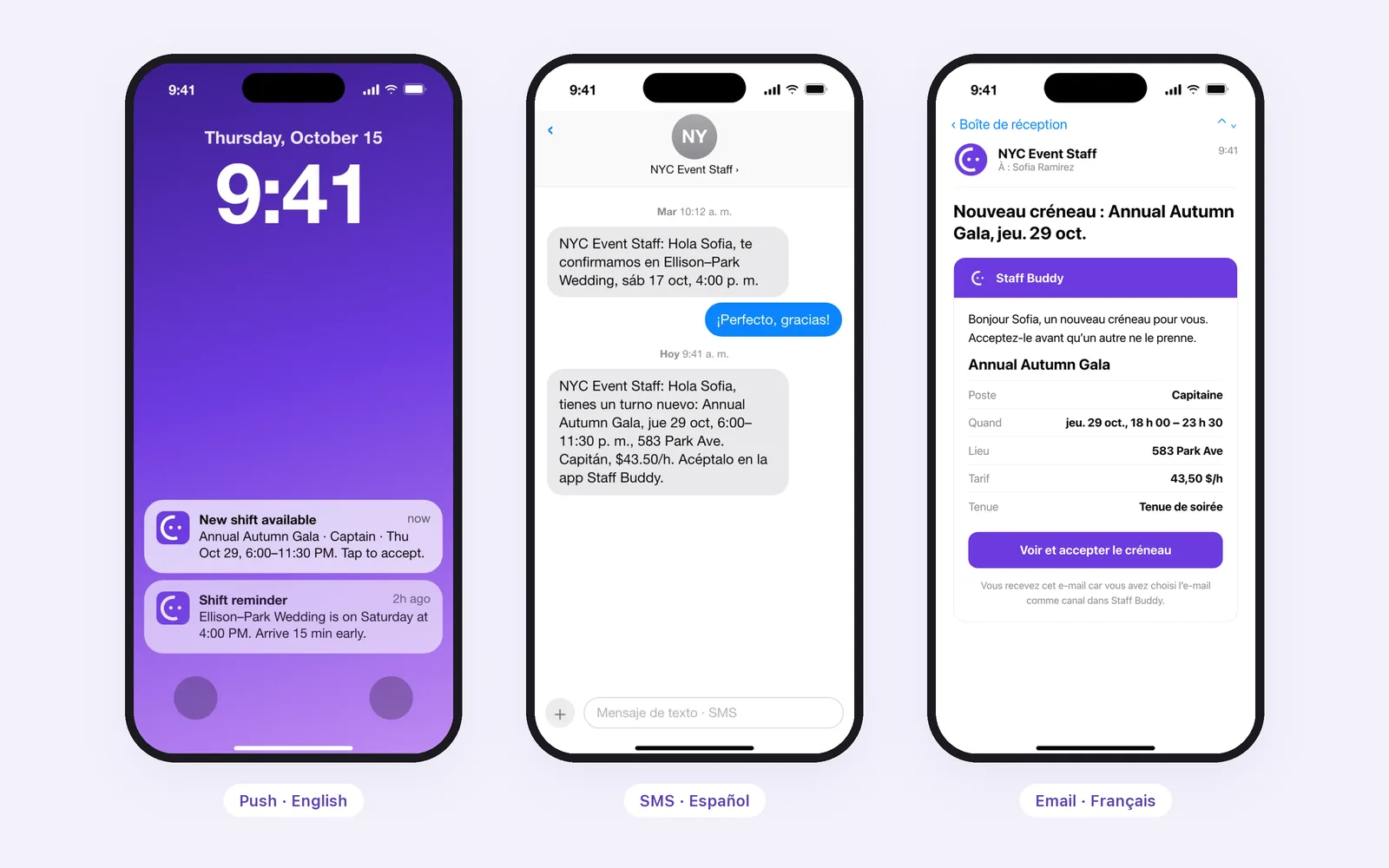
The same new shift reaching three workers: a push notification in English, an SMS in Spanish and an email in French.

Why this beats a group chat

A group chat is fine for a small team. As you grow, it gets cluttered. Targeted messages mean fewer questions. When the answer is already in the message, people stop calling to ask.

A change gets buried

It goes to the people on that shift, not to a thread everyone scrolls through.

Nobody can tell who has seen it

An invitation is accepted or declined in the app, so you see who said yes instead of guessing from thumbs-up reactions.

Everyone has everyone's number

Personal phone numbers are not shared between staff, so a worker’s number stays with the agency.

Frequently asked

Can a worker choose how they get messages?

Yes. Each worker chooses their own channel.

Do workers get messages in their own language?

Yes. Each worker receives messages in their own language.

Who pays for SMS?

SMS is included in the subscription.

Can staff see each other's phone numbers?

No. Personal numbers are not shared between staff.

See the whole product in 9 minutes.

If you’d rather talk it through, book a call with the founder and bring your own events.

Watch the demo

Leave your work email and the video starts right away.

No call, no newsletter.

Talk to us about your agency

We reply personally within one business day, with a quote if you want one.

Grab a time

Thirty minutes with the founder, live on the real product. Leave your email so we can reach you, then pick a slot.

No obligation. We use your email to reach you about this call and nothing else.

Watch the demo